
Choose a script
Start from your own template or a practical wedding and portrait starter, then make every word sound like your studio.
A focused iPhone utility for photographers
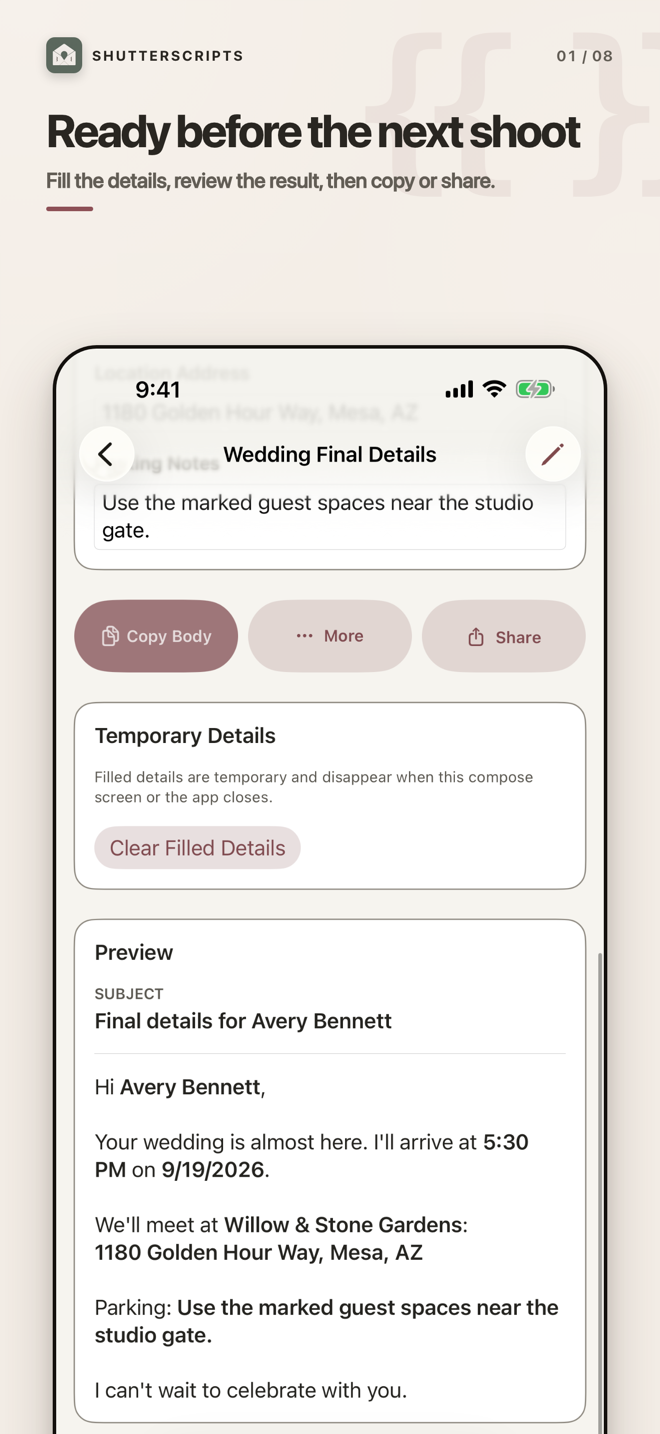
Turn the client emails you write every week into reusable scripts. Fill what changed, review the result, then copy or share—with no inbox access and no subscription.
A small tool with a clear job
ShutterScripts keeps reusable studio information separate from the temporary client details that belong to one message.
Start from your own template or a practical wedding and portrait starter, then make every word sound like your studio.
Readable variables create the fields you need. Saved shoot locations and My Studio details can fill matching information.
Catch unresolved details in the preview, then copy the body, copy everything, or open the standard iOS share sheet.
Private by design
ShutterScripts does not read or send email. Reusable information stays in the app's local on-device store, while filled client details and completed messages are not saved. V1 provides no iCloud sync or automatic cloud backup, so export a manual library snapshot before deleting the app or moving devices.
See exactly how information is handledHuman support
Start with the support guide, or email Quinten directly. Please leave client details, passwords, and email contents out of support messages.